Every workspace already had three ways in: the app, the CLI, and an AI assistant over MCP. All three assume a person or an assistant is doing the writing. Plenty of the things worth keeping are not written by either — a deploy that failed, a Figma comment, the weekly payout, a form someone filled in.
Notez v0.15.0 adds the fourth way: a webhook URL. Anything that can send an HTTP request can now file a note.
One URL, one line of curl
Create a webhook in Settings → Integrations → Webhooks, and Notez hands you a URL. That is the whole setup:
curl -X POST "https://api.notez.dev/api/webhooks/notes/<your-token>" \
  -H "Content-Type: application/json" \
  -d '{"title": "Deploy failed on main", "content": "## Details\n- commit abc123", "tags": ["alerts"]}'
The note appears with its tags, in the note you chose as the destination, in the board column you picked. Tags you have never used before are created on the spot.
The senders that will not learn your format
A neat JSON shape works when you control the sender. GitHub, Stripe and Sentry do not care what shape you would like: they send their own payload, and the only thing you get to choose is the URL.
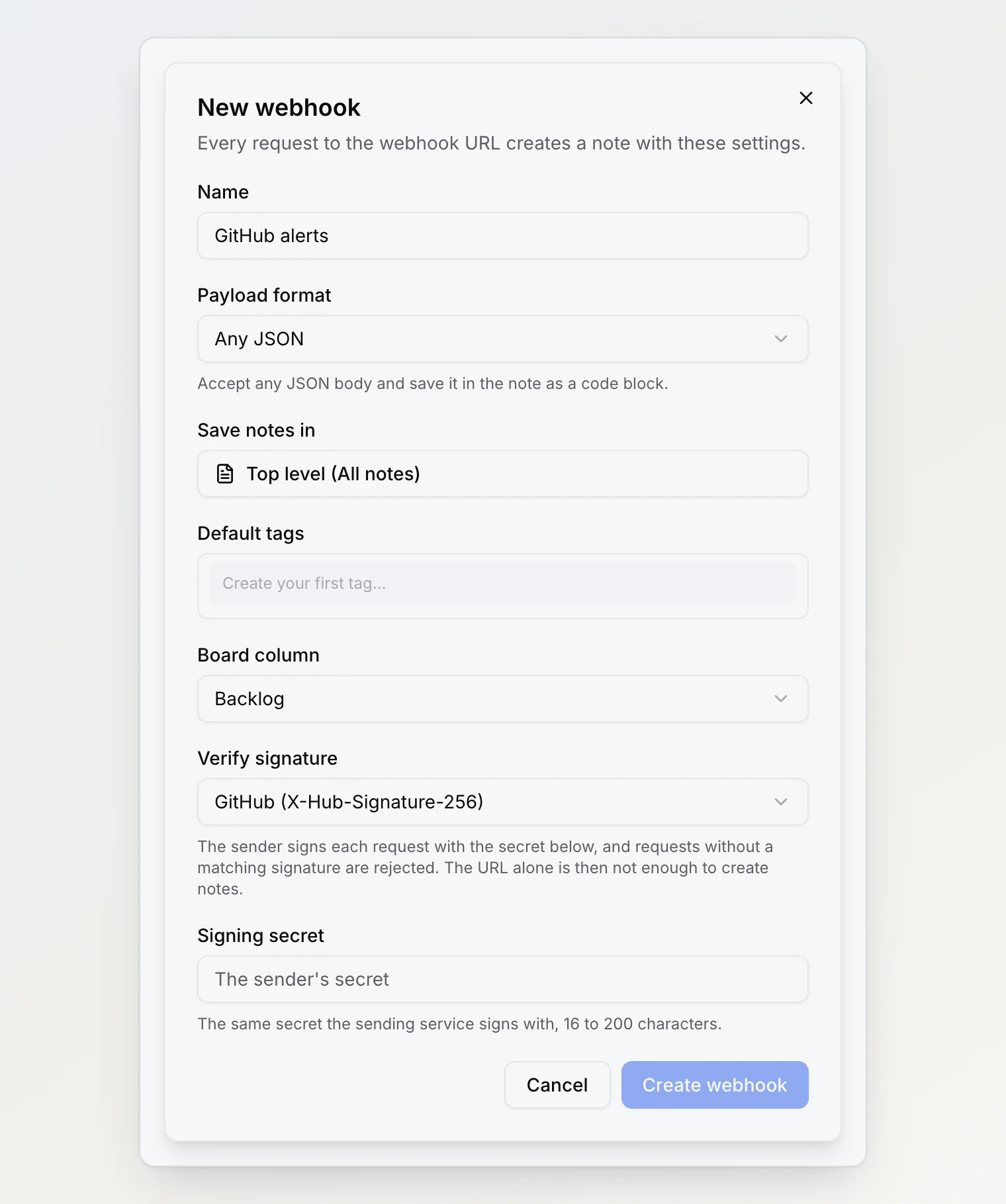
So a webhook has two modes. Notez format validates strictly, rejects typos, and gives you title, content, tags and attachments. Any JSON takes whatever arrives and saves it as a formatted code block, titled from the payload if it has a title and from the webhook's name if not. Nothing bounces for having unexpected fields, which is the entire point.
Attachments, including the ones you only have a link to
A request can carry up to ten files, three ways: as a file upload, as base64 inside the JSON, or as a link that Notez downloads for you. The third is the one that makes automation tools usable — Zapier hands you a link to a file, never the bytes.
Downloading whatever a URL points at is also the fastest way to build a hole in your own infrastructure. A webhook URL is public, so "download this link" would otherwise let anyone aim our servers at internal addresses and read back whatever answered. Every download resolves the address first, refuses private, internal and cloud-metadata ranges, re-checks after each redirect, and connects only to the address it already checked — so a second DNS answer cannot swap in something internal after the check. Files that are too slow, too big, or behind a login become links in the note instead of vanishing.
Retries, and the note you did not want twice
Senders retry when an answer takes too long, and a retry that creates a second note is worse than no note at all. Send an Idempotency-Key header, or an externalId in the body, and a repeat within 24 hours returns the note that already exists. GitHub's delivery id is picked up automatically, so its retries are safe with no setup.
Signatures: optional on purpose
The URL is the credential, and URLs leak — into logs, screenshots, shared configs. If the sender can sign its requests, Notez can check the signature and refuse everything else.
We made this optional, and that deserves an explanation. Verification is not a lock we control; it is a check on something the sender must do. GitHub signs. Stripe signs. Zapier, Shortcuts and most scripts cannot. Requiring signatures would have turned a feature that works with anything into one that works with three services, so the URL stays the baseline and the signature is a second layer for senders that support it. The list marks the unsigned ones so the trade-off stays visible rather than forgotten.
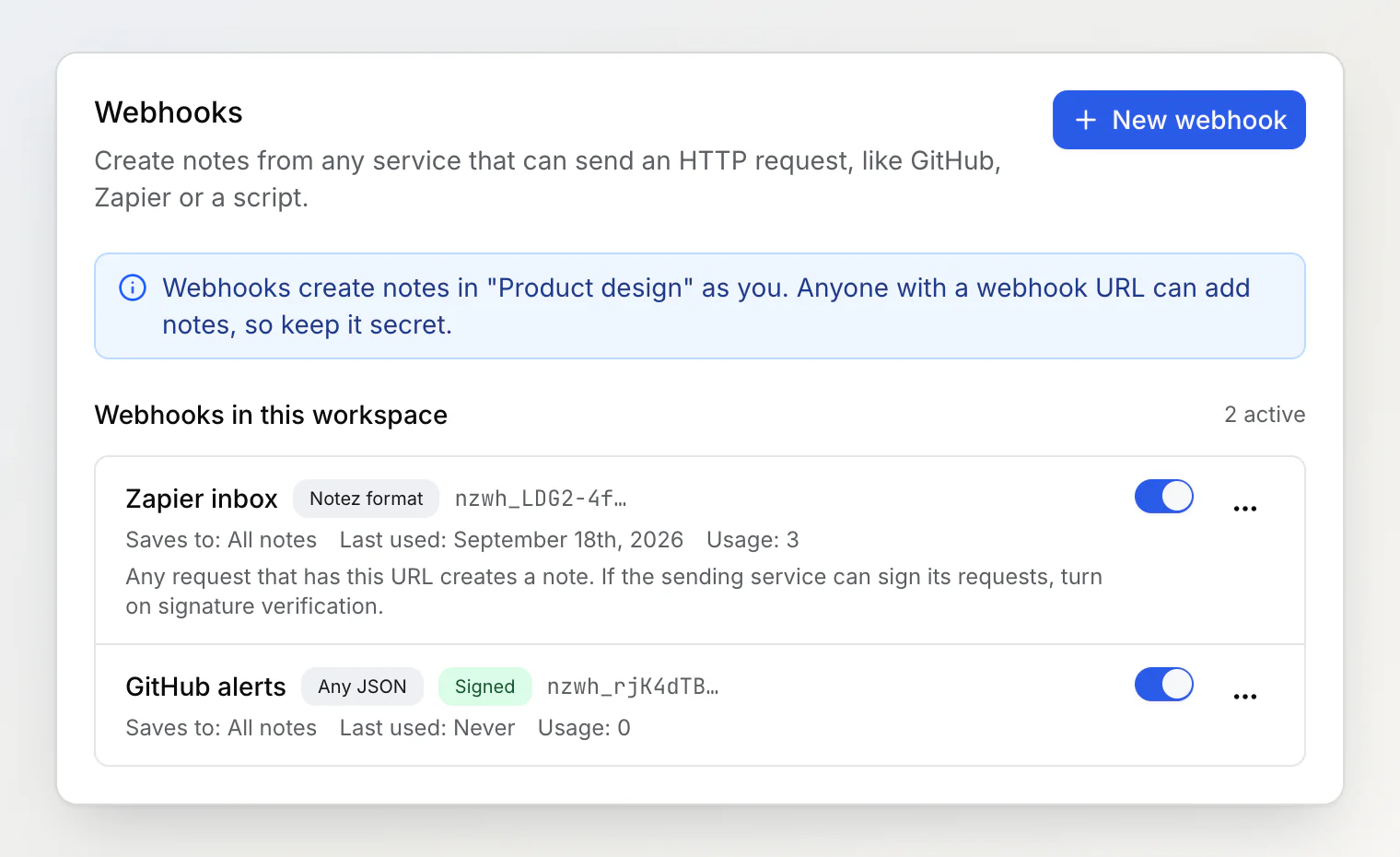
A signing secret is the rare credential we have to be able to read back: verifying a signature means recomputing it, so the secret is encrypted rather than hashed. That distinction matters more than it sounds, and it changed something else in this release.
While we were at it: keys are hashed now
Webhook URLs are stored as hashes, because recognizing a token never requires reproducing it. Our MCP and CLI keys, written earlier, were stored in plain text — readable to anyone who could read the database.
They are hashed now too. The practical effect: an MCP key is shown once, when you generate it, and after that the screen shows only its first few characters. Lost it? Rotate it. The CLI never showed its key anyway.
Two smaller things came out of the same work. Every webhook creates notes as the person who made it, so removing someone from a workspace now deletes their webhooks with them — no URL outliving its owner. And the audit log, which records the input of every change, now redacts anything that looks like a credential: it was about to store signing secrets in clear text right next to their encrypted copies.
What to point at it
GitHub — issues, deploys, failed workflows, with signature checking on.
Zapier or Make — a step at the end of any automation, filing the result where you will find it.
Cron and CI — nightly backup reports, release notes, a summary that would otherwise sit in a log nobody opens.
Your own app — support requests, sign-ups, anything worth keeping next to your notes.
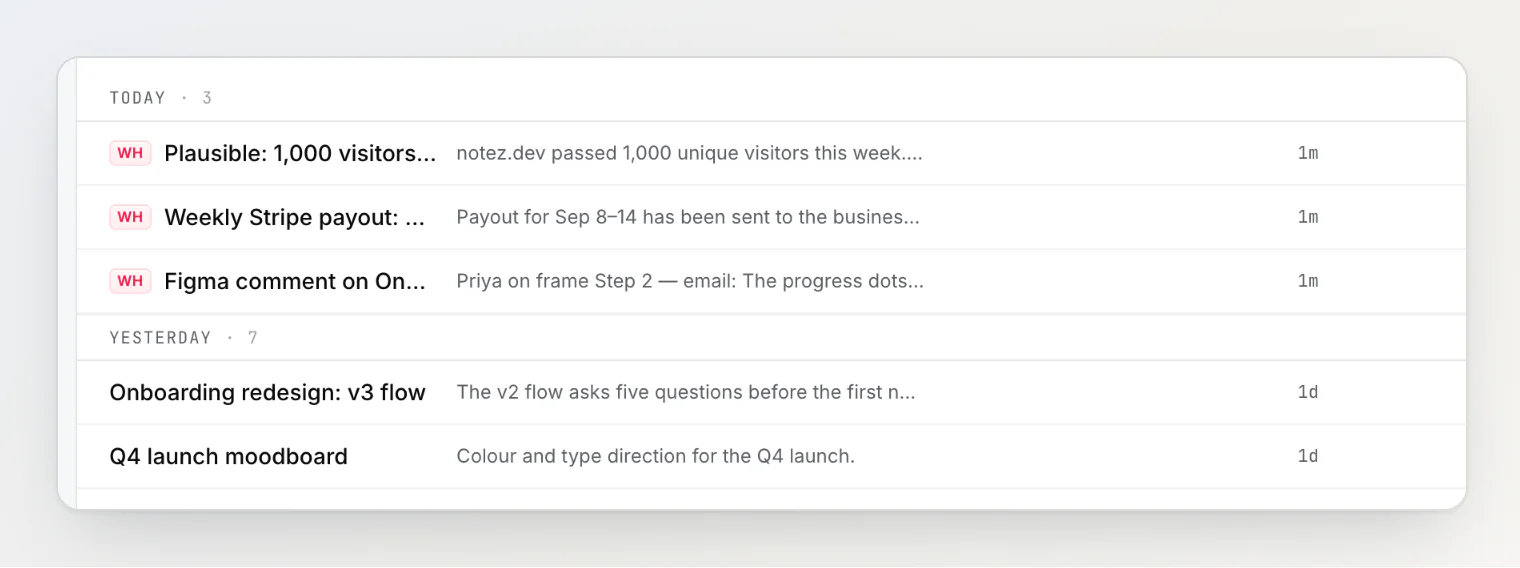
Notes from a webhook carry a WH badge, so your own writing never gets lost among them.
Full details, limits, and the GitHub walkthrough are in the webhooks help article.
Continue reading
Getting Started With the Notez CLI — the install commands for macOS, Linux and Windows, where
notez loginkeeps its key, and scripting with--json.How to Build a Note-Taking System as a Developer — four kinds of notes worth keeping, capture in under five seconds, no folders, and a ten-minute weekly review.
How to Take Notes From the Terminal — three ways to take notes in a shell, from
echo >> ~/notes.mdto a capture CLI, and where each one breaks when you need the note back.