A webhook is a secret URL that creates a note every time something POSTs to it. Point GitHub, Zapier, Make, a cron job, or a two-line curl at it, and whatever they send becomes a note in your workspace — with the tags, destination, and board column you chose when you created it.
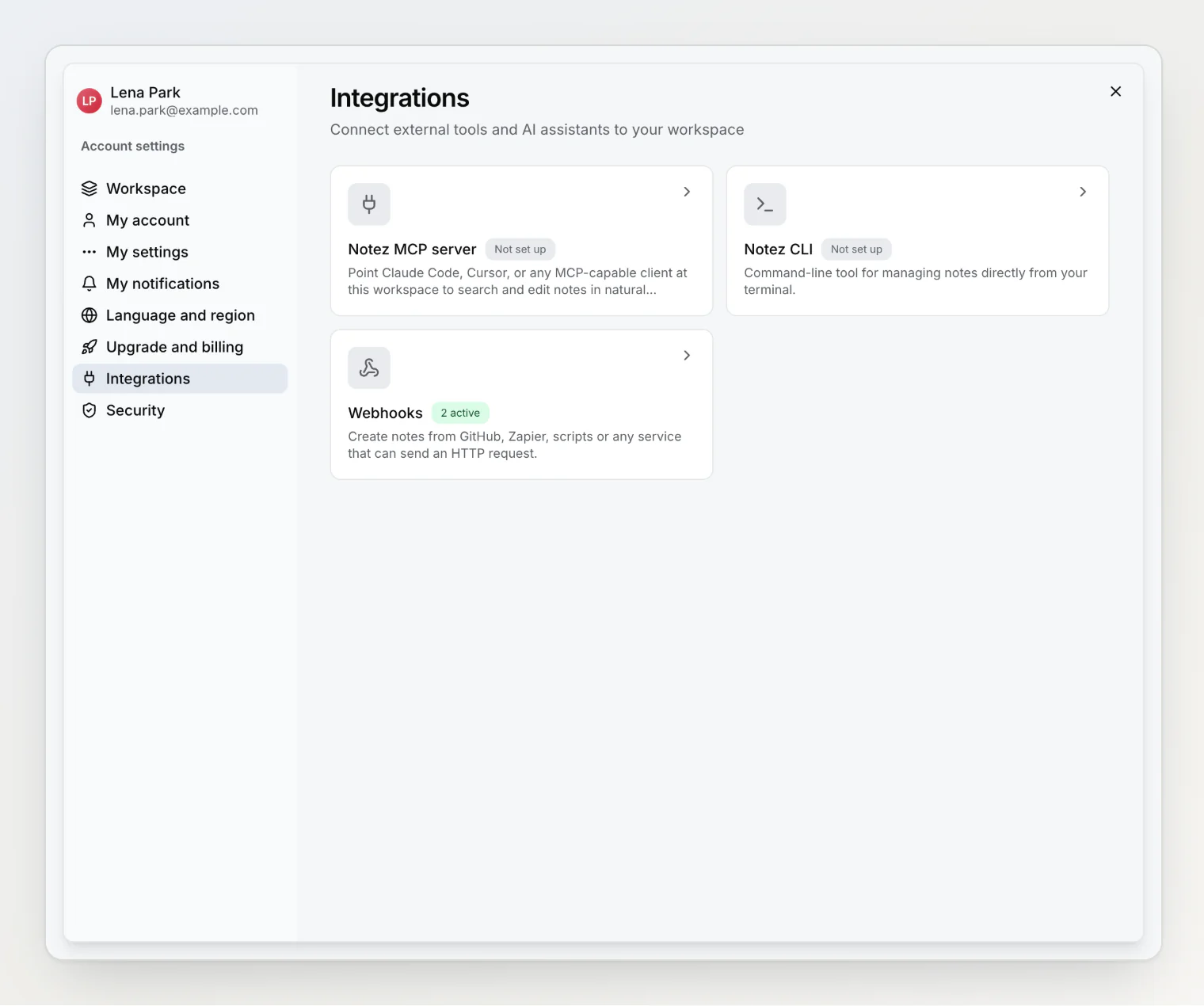
Webhooks live in Settings → Integrations, next to the MCP server and the CLI. Any member of a workspace can create one; you do not have to be the owner.
Creating one
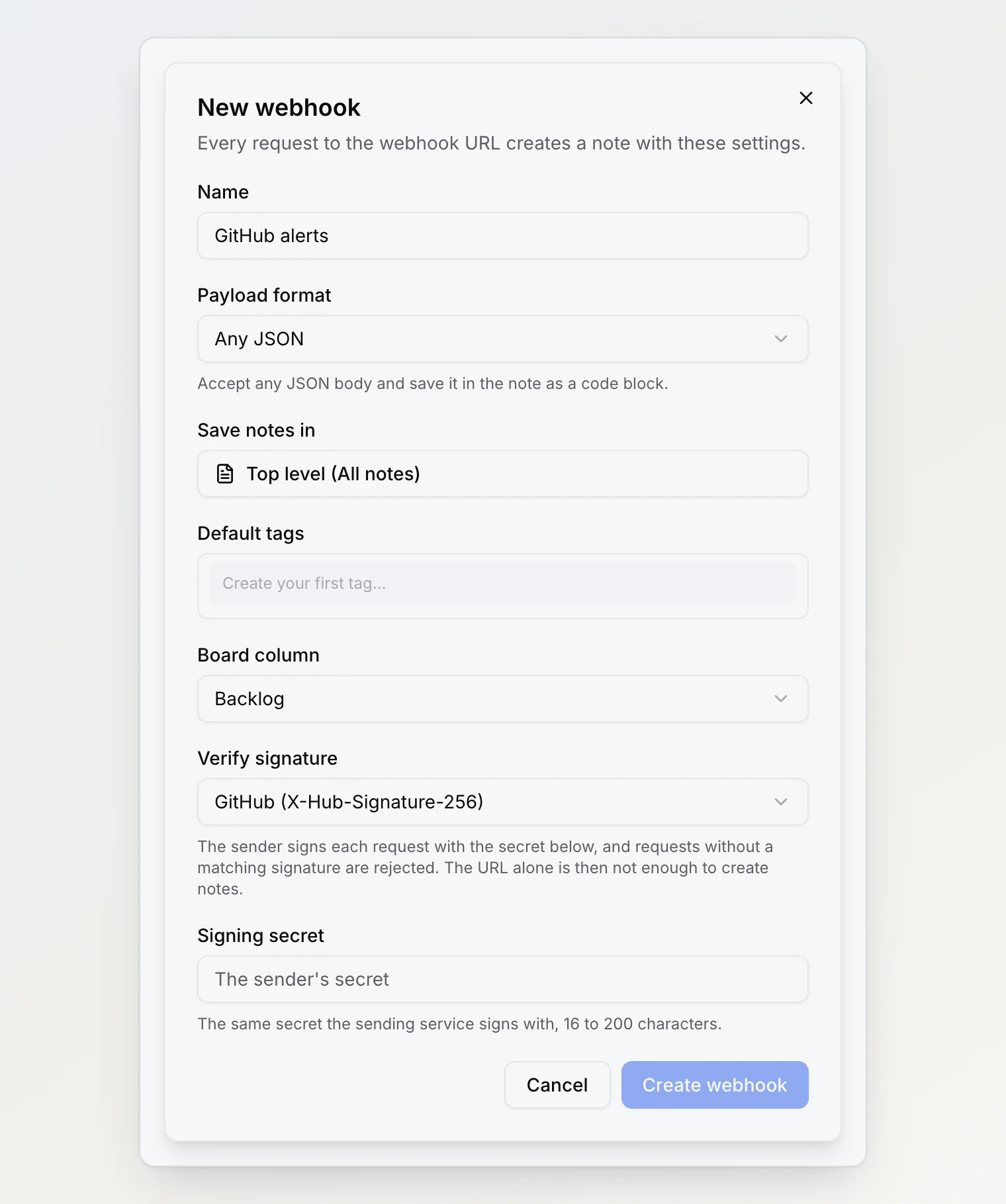
Open Webhooks → New webhook and fill in:
Name — how you recognize it later, such as "GitHub alerts".
Payload format — Notez format if you control what the sender sends, Any JSON if you do not.
Save notes in — the top level, or a note that every incoming note becomes a child of.
Default tags — added to every note this webhook creates.
Board column — where the note lands on the board of its destination.
Verify signature — off by default; see below.
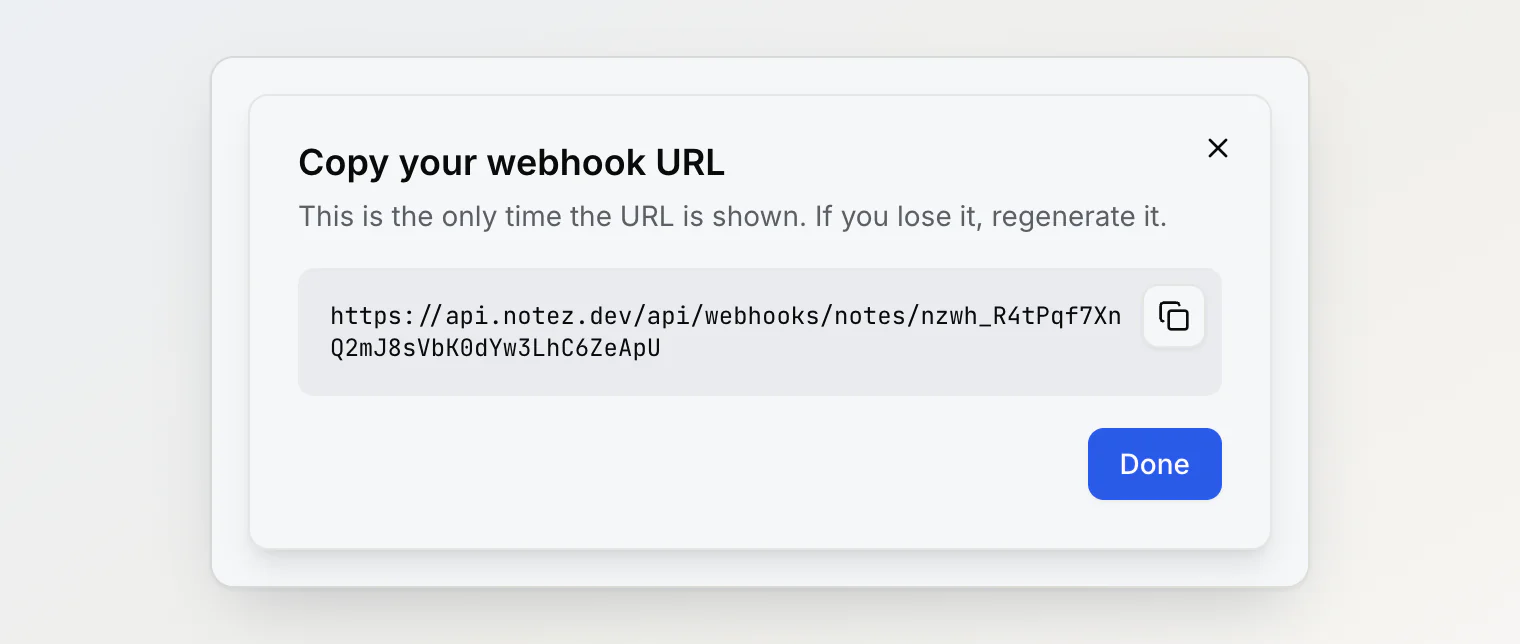
When you save, Notez shows the URL once. Copy it into the service that will use it. It is not stored in a form you can read again: if you lose it, open the webhook's menu and choose Regenerate URL, which issues a new one and stops the old one working.
Sending a request
The simplest request is a line of curl:
curl -X POST "https://api.notez.dev/api/webhooks/notes/<your-token>" \
  -H "Content-Type: application/json" \
  -d '{"title": "Deploy failed on main", "content": "## Details\n- commit abc123", "tags": ["alerts"]}'
You can also send the token in a header instead of the URL, which keeps it out of proxy and browser logs:
curl -X POST "https://api.notez.dev/api/webhooks/notes" \
  -H "Authorization: Bearer <your-token>" \
  -H "Content-Type: application/json" \
  -d '{"content": "Sent with a header instead of a URL"}'
A successful request answers 201 with the new note's id and its link.
Fields in the Notez format
Field | What it does |
|---|---|
| The note's title. Without one, the first line of the content is used. |
| The body. Markdown by default. |
|
|
| A link to add. On its own, it creates a bookmark note. |
| Tag names. Tags that do not exist yet are created. |
| A key that prevents duplicates when a service retries. |
| Up to ten files. |
At least one of title, content, url or an attachment is required.
Bodies can also arrive as a file upload (multipart/form-data), as form-encoded fields, or as plain text, where the whole body becomes the note.
Any JSON mode
Services like GitHub, Stripe and Sentry send their own payload shape and cannot be told to send yours. Set the payload format to Any JSON and the whole body is saved in the note as a formatted JSON code block, with the note's title taken from a top-level title field if there is one, and the webhook's name otherwise. Nothing is rejected for having unexpected fields.
Attachments
A request can carry up to ten files, in any of three ways:
As a file upload, with
multipart/form-data— whatcurl -F "file=@screenshot.png"sends.As base64, inside the JSON:
{"attachments": [{"name": "log.txt", "mimeType": "text/plain", "data": "<base64>"}]}.As a link:
{"attachments": [{"url": "https://example.com/report.pdf"}]}. Notez downloads the file and stores it in the note.
Downloads run while the request is being handled, for up to six seconds and 25 MB per file. A file that is too slow, too large, or behind a login is added to the note as a link instead, so nothing is silently lost. The request body itself is limited to 25 MB.
For safety, Notez only downloads from public web addresses: links that resolve to private or internal addresses are refused, and SVG files are not accepted.
Avoiding duplicates
Services retry when they do not get an answer fast enough, which would otherwise create the same note twice. Send an Idempotency-Key header (or an externalId field) with a value that identifies the event, and a repeat of that value within 24 hours returns the original note instead of making a new one. GitHub's own delivery id is used automatically.
Verifying signatures
By default, anyone who has the URL can create notes with it, so treat it like a password. If the sending service signs its requests — GitHub does, Zapier and most scripts do not — turn on Verify signature and paste the same secret into both sides. Notez then rejects any request whose signature does not match, and the URL alone is no longer enough.
Two schemes are supported:
GitHub — the
X-Hub-Signature-256header, which is what GitHub sends when you fill in the Secret field of a repository webhook.HMAC SHA-256 header — the same calculation in a header you name, for services and scripts that sign their own requests.
A signature proves who sent a request, not when, so a captured request can still be replayed. Pair it with Idempotency-Key when that matters.
Connecting GitHub
In your repository, open Settings → Webhooks → Add webhook, then:
Paste the Notez URL as the Payload URL.
Set Content type to
application/json.Put a secret in the Secret field, and the same secret in the Notez webhook, with Verify signature set to GitHub.
Choose the events you want.
Use Any JSON as the payload format: GitHub's event bodies do not fit the Notez format.
Managing a webhook
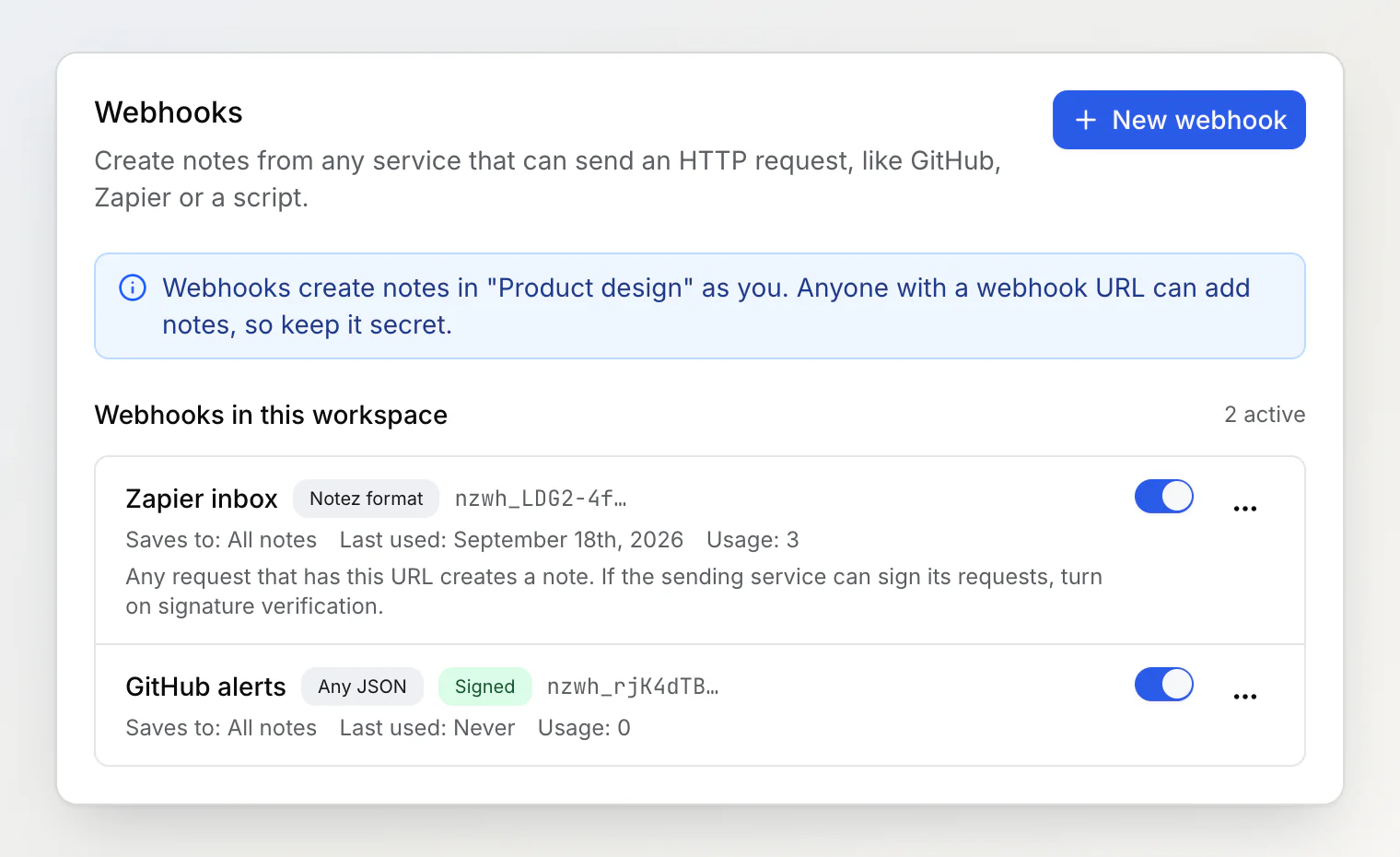
Each row in the list shows how it is configured, when it was last used, and how many notes it has created. The menu at the end of a row holds Edit, Regenerate URL and Delete, and the switch turns a webhook off without deleting it — useful when a noisy service is flooding your notes.
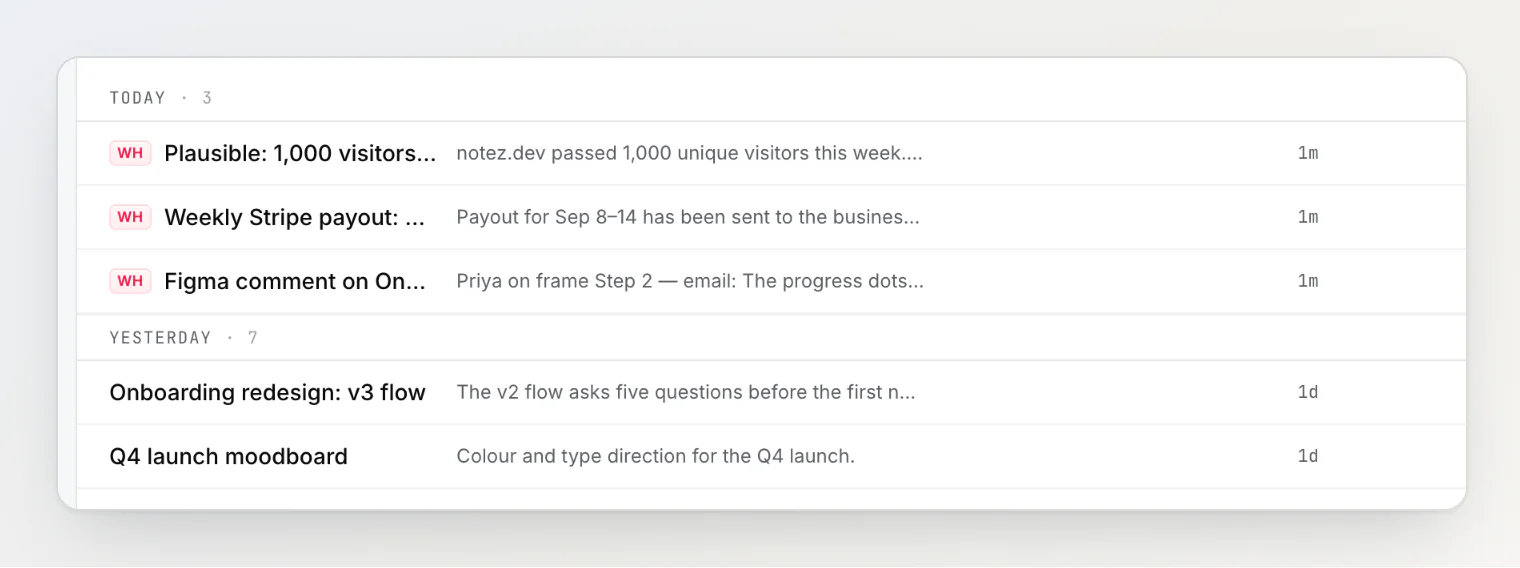
Notes created this way carry a WH badge in the list, so you can always tell them apart from what you wrote yourself.
If something goes wrong, the row shows the last error: an unreadable body, a signature that did not match, or a destination note that has since gone to the trash (in which case notes are saved at the top level instead).
Limits and rules
20 webhooks per workspace, 60 requests per minute for each one.
A webhook creates notes as the person who created it, in that workspace only. Its attachments count against the storage of the workspace's owner, not the person who created the webhook, and one that would take the owner over their limits is added to the note as a link instead.
Members can create their own. The workspace owner sees every webhook in the workspace and can turn one off or delete it, but cannot edit someone else's.
A webhook is deleted with its creator: if they leave or are removed from the workspace, its URL stops working.
Related
MCP server setup — for AI assistants that read and write notes.
The Notez CLI — for capture from a terminal.
Quick capture and bookmarks — the other ways notes get in.