Claude on the web, desktop and mobile, ChatGPT, VS Code and Claude Code can now connect to your notes by signing in to Notez. You add one URL, https://api.notez.dev/api/mcp, and there is no key to generate or paste.
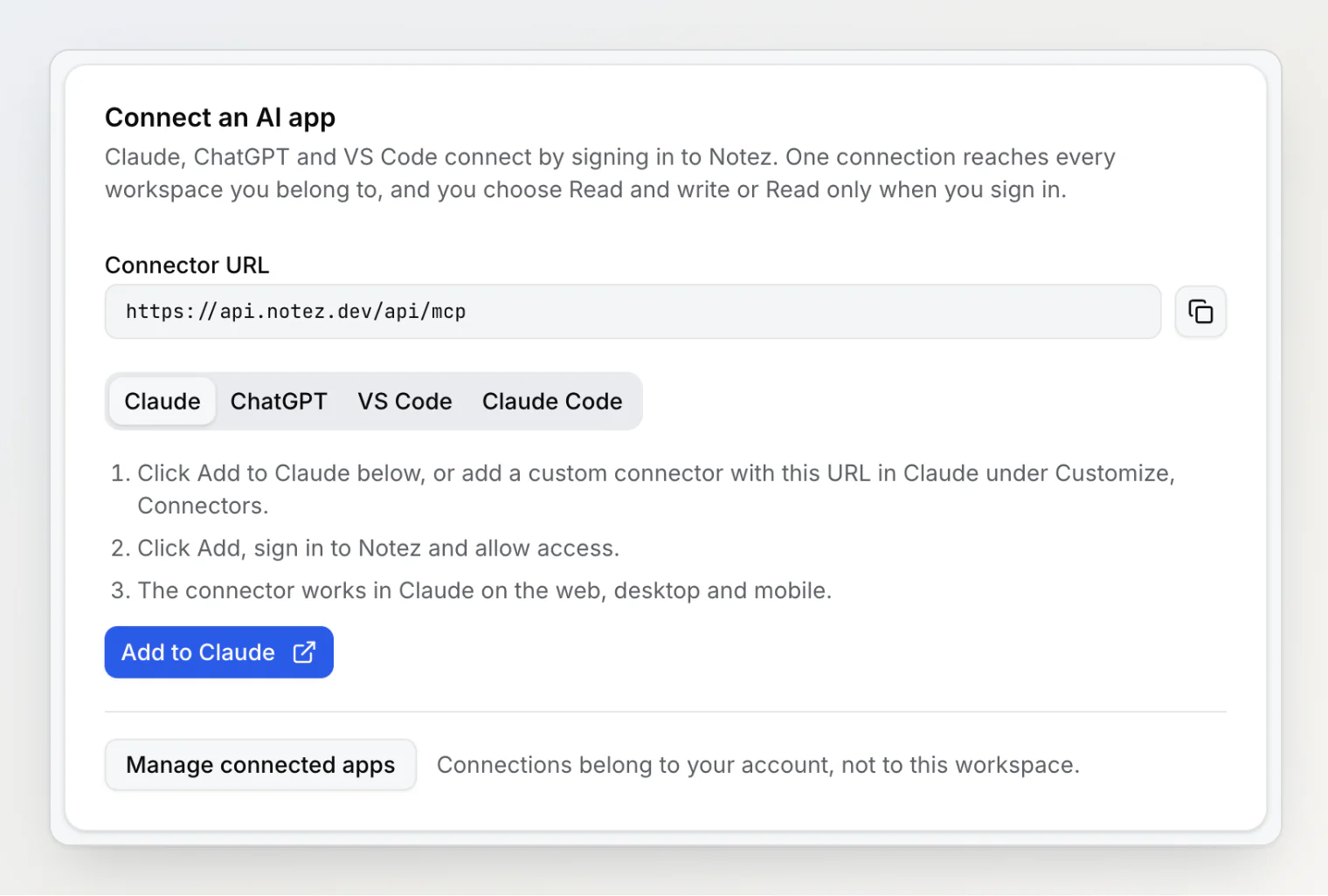
Connect an AI app
Settings → Integrations → Notez MCP server opens with a Connect an AI app card: the connector URL with a copy button, and steps for Claude, ChatGPT, VS Code and Claude Code.
Add to Claude opens Claude's Add custom connector dialog with the name and URL filled in.
The app sends you to a Notez sign-in page, then asks you to choose Read and write or Read only before you click Allow.
Read only connections get only the 12 reading tools. Tools that change anything are not offered to them at all.
Any member of a workspace can connect an app. The workspace's MCP key is still created and rotated by its owner.
One connection, every workspace
A sign-in connection belongs to your account and reaches every workspace you are a member of.
A new
list_workspacestool lists them, and every other tool exceptsearch_helptakes the workspace it should act in. With one workspace, the assistant does not need to ask.MCP keys are unchanged: a key still works in the one workspace it was created in, for Cursor, Windsurf and scripts.
Connected apps
Settings → Security → Connected apps lists every app you connected, with its access and the date.
Disconnect cuts an app off immediately, including its ability to renew access.
Changing or resetting your password disconnects every app.
Also in this release
Every MCP tool is marked as reading, writing or destructive, so clients such as ChatGPT can ask before a change.
update_propertyandconfirm_uploadtreat a property or file from another workspace as not found.Note bodies sent over MCP are capped at 100,000 characters, and requests over 1 MB are refused.
How to connect each app: Connect Claude, ChatGPT or VS Code to Notez.