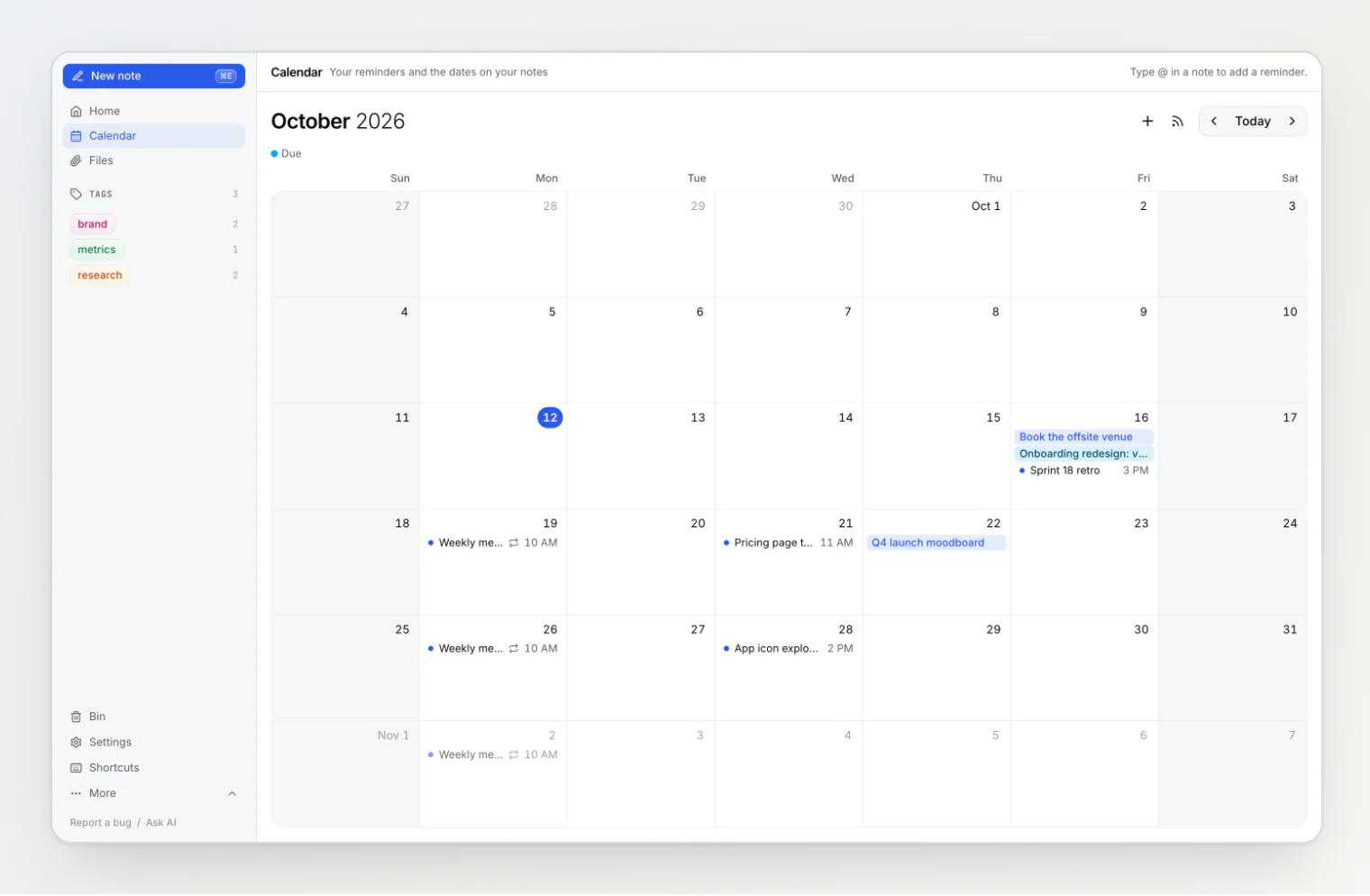
Notez v0.20.0 adds reminders, and they are not a list kept somewhere else. A reminder is a date you type into a note, and when it comes due, the note is what you get back.
A to-do app does it the other way round: a reminder is its own record with its own title, and the note it was about is, at best, a link inside it. Two weeks later you get "Follow up" and have to go looking for the note it meant.
In Notez the reminder sits in the sentence that explains it: "Walk Priya through the teardown" followed by a chip that says Wed, Oct 21, 11:00 AM. The notification carries the note's title, and clicking it opens the note. Delete the sentence and the reminder goes with it. Move the note to the Bin and it stops.
Typing a date
Type @ in a note. The menu offers Today, Tomorrow, In 1 hour and Pick a date…, and narrows as you type: @fri is next Friday, @2026-12-24 is that day. A time goes at the end, @tomorrow-9am or @fri-3pm, joined with hyphens because a space closes the menu.
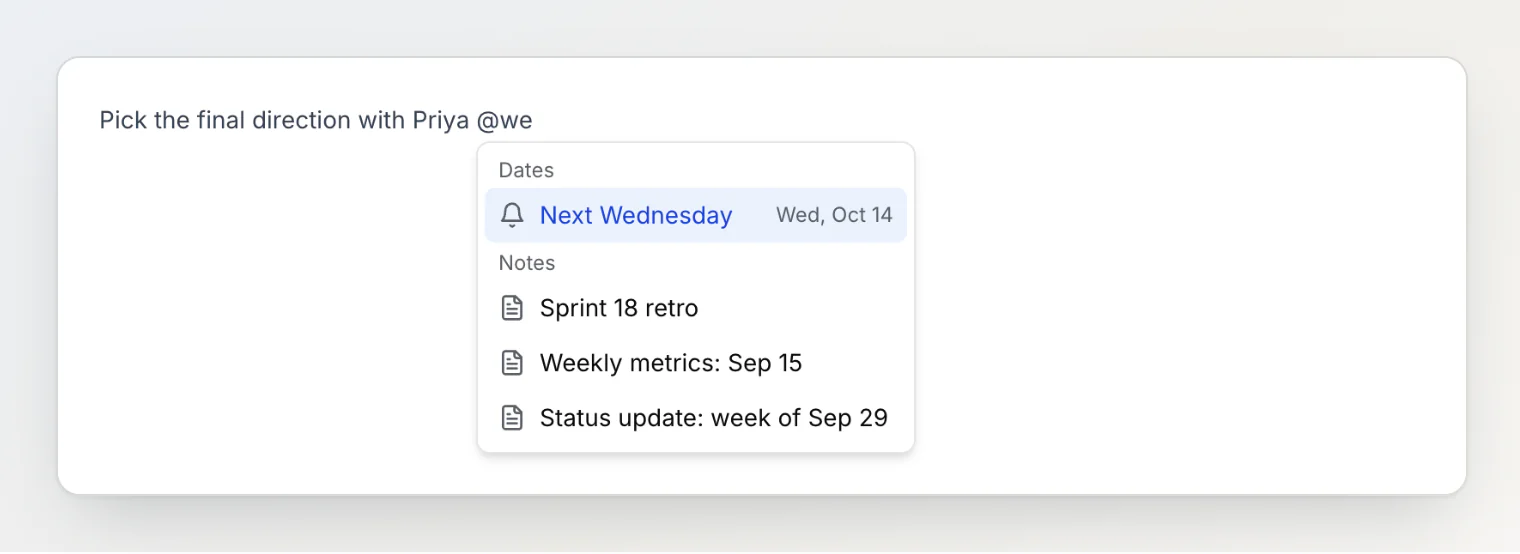
The menu is not only for dates. Under Notes it links other notes, and in a shared workspace People mentions a member.
Every Monday, or the last Friday of the month
Click a reminder to change it. Repeat has the common schedules: every day, every week on the chip's weekday, every weekday, the same day each month or each year, and Custom… for the rest: every two weeks on Wednesday and Friday, the last Friday of the month, five times and then stop.
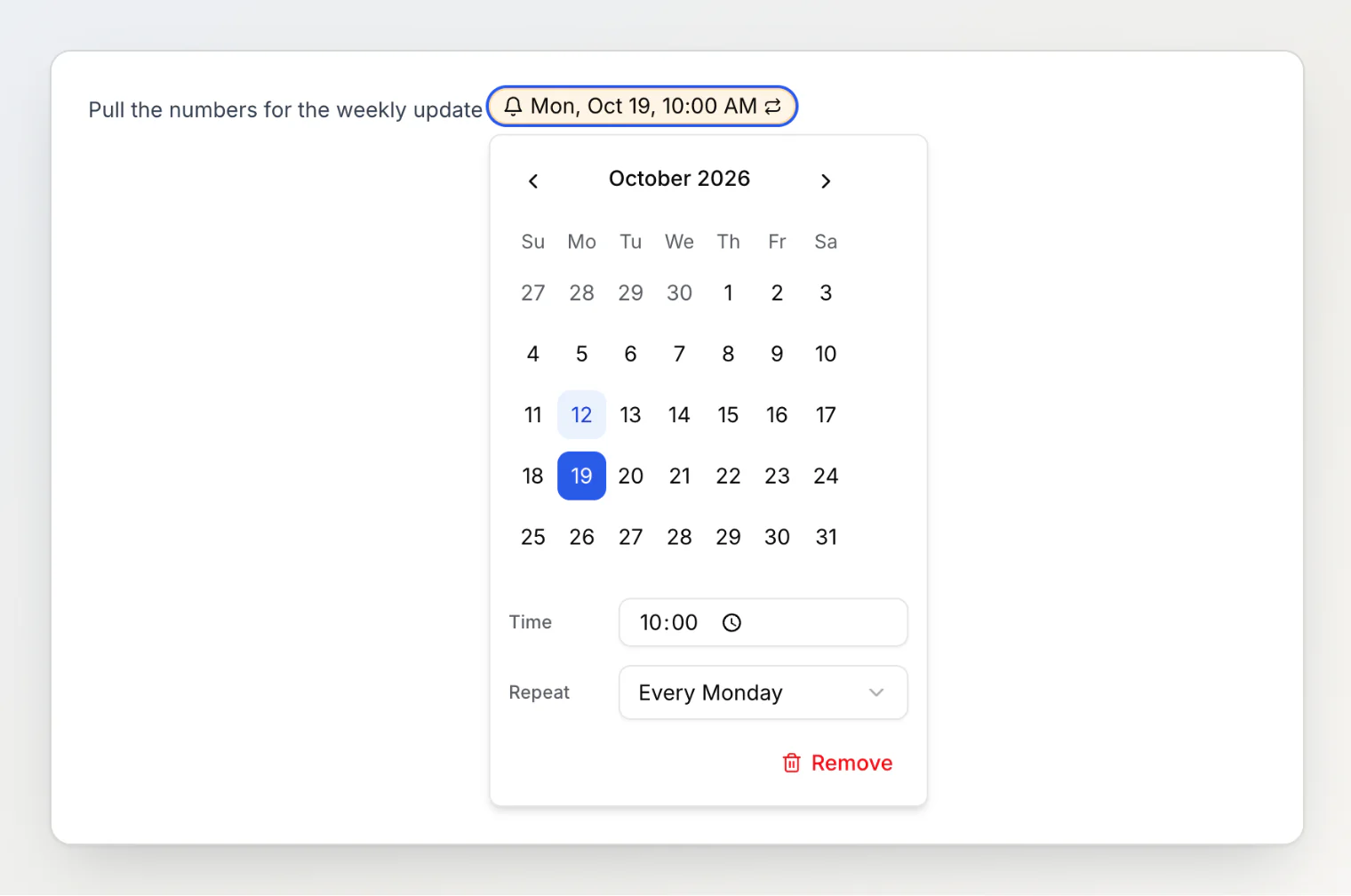
A repeating reminder is still one chip, so you cannot skip one Monday or move one occurrence on its own. Changing the chip changes the series.
The Calendar page
Calendar is new in the sidebar, under Home. It shows your reminders and, next to them, every date property in the workspace, so a Due date on a card and a reminder in a retro note land on the same grid.
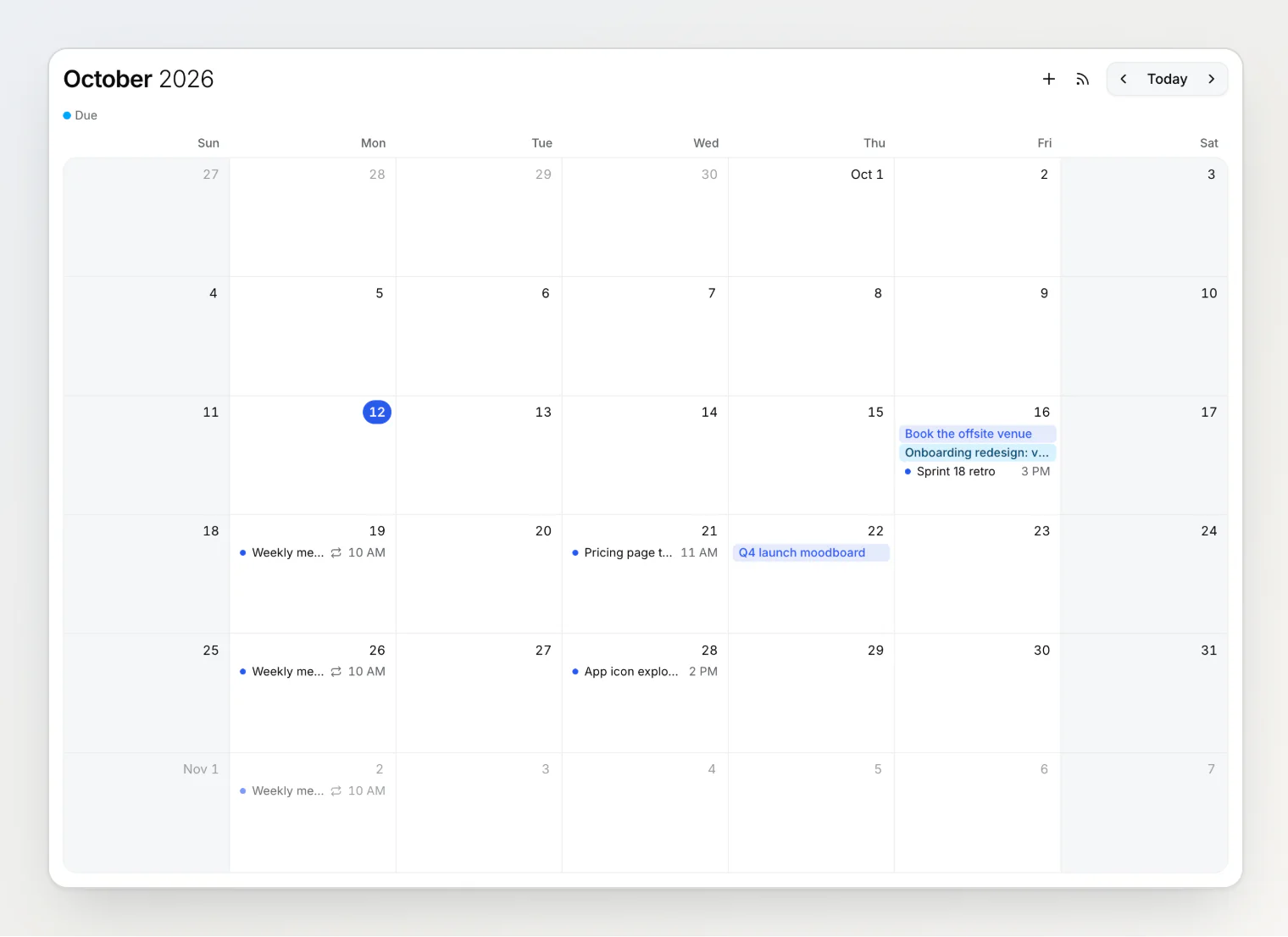
Click an item and its note opens in the side panel. Drag a one-off reminder or a due date to another day and the note changes with it; ⌘Z puts it back. A repeating reminder stays where it is and is changed in its note. New reminder adds one from the calendar itself, and because a reminder has to live somewhere, it creates a short note titled with what you want to be reminded about.
Asking about the calendar
AI chat can read the calendar now, and on the Calendar page it knows which month you are looking at. We asked it the obvious question:
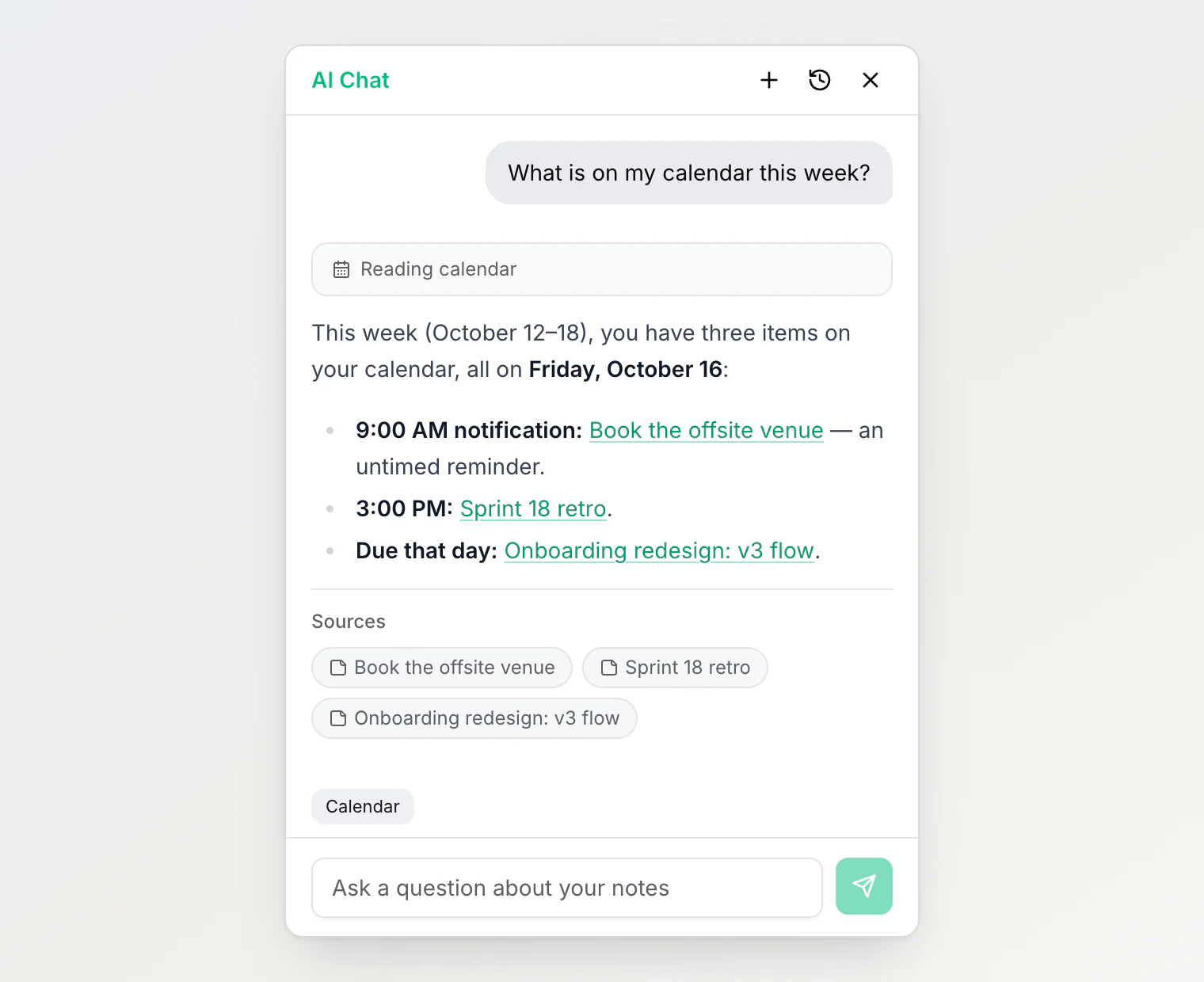
It read three items for Friday: two reminders and a due date from a property, each linked to its note. The same get_calendar tool is in the MCP server, so Claude, ChatGPT or Claude Code can answer it too, and "remind me to call Anna on Friday" in any of them creates the note with the reminder in it. One thing to know there: Notez does not pass your time zone to an app connected over MCP. If the app does not know it, it takes the zone from reminders you already have, or asks.
From the search box and the address bar
Not every reminder starts in a note you have open. The search box at the top and the box a board column's Add note opens now have the same @ menu. Type "Book the offsite venue", pick Friday, and the date waits next to the box as a chip until you press Enter:
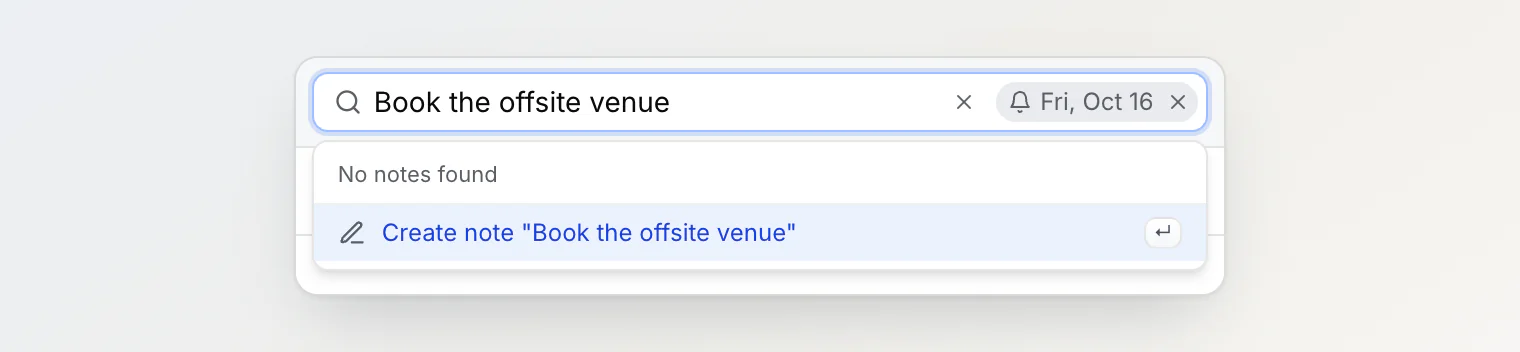
A date typed in full works without the menu, which matters most in the address bar: notez.dev/Call Anna @tomorrow-9am saves "Call Anna" with a reminder for 9:00 AM tomorrow, from any browser tab. Text pasted with ⌘V while nothing is focused is saved as it is, so an "@today" in a pasted log stays text.
Small print
Since v0.22.0, a reminder in a shared workspace can remind several people: whoever adds it is reminded, and teammates click Remind me too. The calendar shows each member the reminders that remind them. More in Shared reminders in a team note.
A reminder with no time notifies at 09:00, in the time zone of whoever set it.
There is no two-way sync with Google Calendar or Outlook: a private calendar link shows your reminders there, read only. There is no week or day view, and nothing repeats more often than daily.
At most 50 reminders per note.
Continue reading
Shared reminders in a team note: who gets the notification — who a reminder in a shared note reminds, and why pasted copies of it send one notification.
The list you lose every time you open a note — the side panel a calendar item opens in, and why the list stays on screen behind it.
Beyond folders: how Notez organizes notes — why Notez has no folders, and what tags, sub-notes, boards and custom properties do instead.