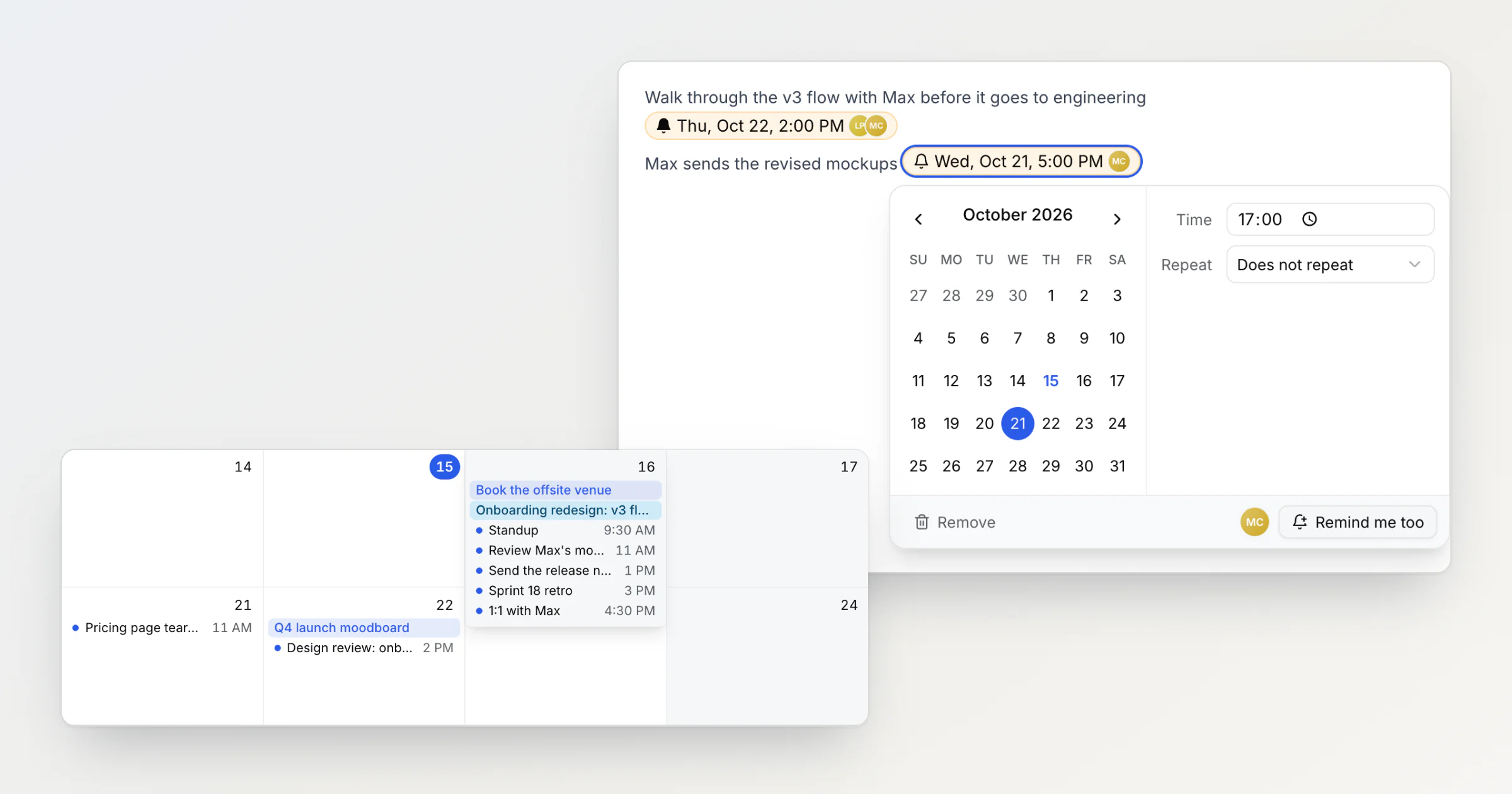
Until Notez v0.22.0, a reminder in a shared note belonged to whoever typed it. Max adds "send the revised mockups" with a date to the design review note Lena works on too. Lena sees the chip with Max's avatar on it but has no way to be reminded too. The only option is to type a second copy of the same date next to it.
Why a reminder can't belong to one person in a shared note
My first fix was to make other people's chips read only: if a reminder is Max's, Lena shouldn't be able to move it. I dropped that before shipping it. When the review moves from Thursday to Friday, the person who notices should be able to fix the date, and a read-only chip doesn't stop anyone anyway: Lena can still delete it like any other text in the note.
A chip that reminds everyone in the workspace goes too far the other way. In a workspace of ten, one date typed into a note would send ten emails, nine of them to people who never asked, and any member could email the whole team on a schedule.
So the date and the notification are now two separate things. The date belongs to the note, and anyone who can edit the note can change it. The notification belongs to each person, and each person decides whether they want it.
Remind me too adds you to someone else's reminder
Whoever adds a reminder is reminded, as before. Everyone else in a shared workspace sees the chip with the avatars of the people it reminds. Point at a chip that doesn't remind you and it says Click to edit or get reminded too. Click it, and Remind me too at the bottom right of its settings adds you:
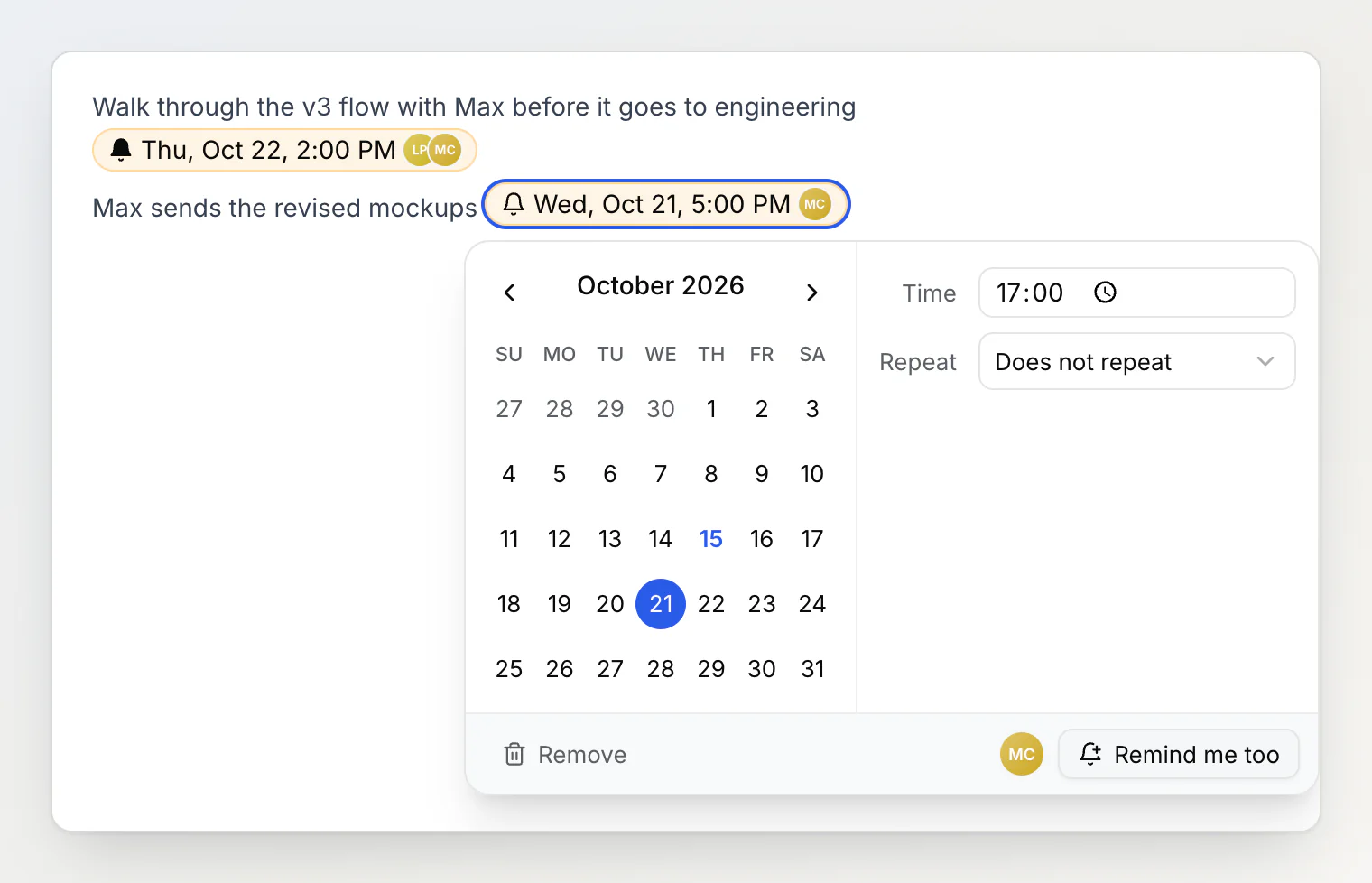
From then on the reminder notifies you as well, and it shows on your Calendar page and in your private calendar link. Stop reminding me in the same place takes you off. You can add or remove only yourself: there is no way to put someone else on a reminder. If Lena wants Max reminded, the way is to ask, or to mention Max with @, which sends a notification right away.
Changing the date changes it for everyone. If Lena moves "Wed, Oct 21" to Thursday in the chip, Max is reminded on Thursday too. Dragging a reminder on the Calendar page works the same way, for anyone the reminder reminds. Delete the chip and nobody is reminded. For 30 days, undo or restoring an earlier version of the note brings it back with the same people.
Copies send one notification
While testing reminders I copied one and held down the paste key. When I let go, the note held 26 copies of the same chip, "call me" at 3:37 PM, and the calendar had all 26 stacked on one day. Each copy was a reminder of its own, so at 3:37 the bell and my inbox would each have got 26 notifications about one note.
Copies of a reminder in one note, with the same date, time and repeat, now send one notification between them and show as one item on the calendar. Dragging that item moves all the copies.
There are also two limits, counted per person over the last 24 hours: 20 notifications from one note, and 50 in total. A reminder every hour from 9 to 6 in one note sends ten, half the limit for a note. The limits are for reminders with different times piling up in one note, or a script that writes a thousand of them.
A busy calendar day folds into +N more
The 26 copies showed a smaller problem too: a day with 26 items stretched its whole row of the month until the rest of the calendar was off screen. Now a day shows at most four items. A busier day shows three and a +N more button, and the row keeps its height. Click it and the day opens over the calendar:
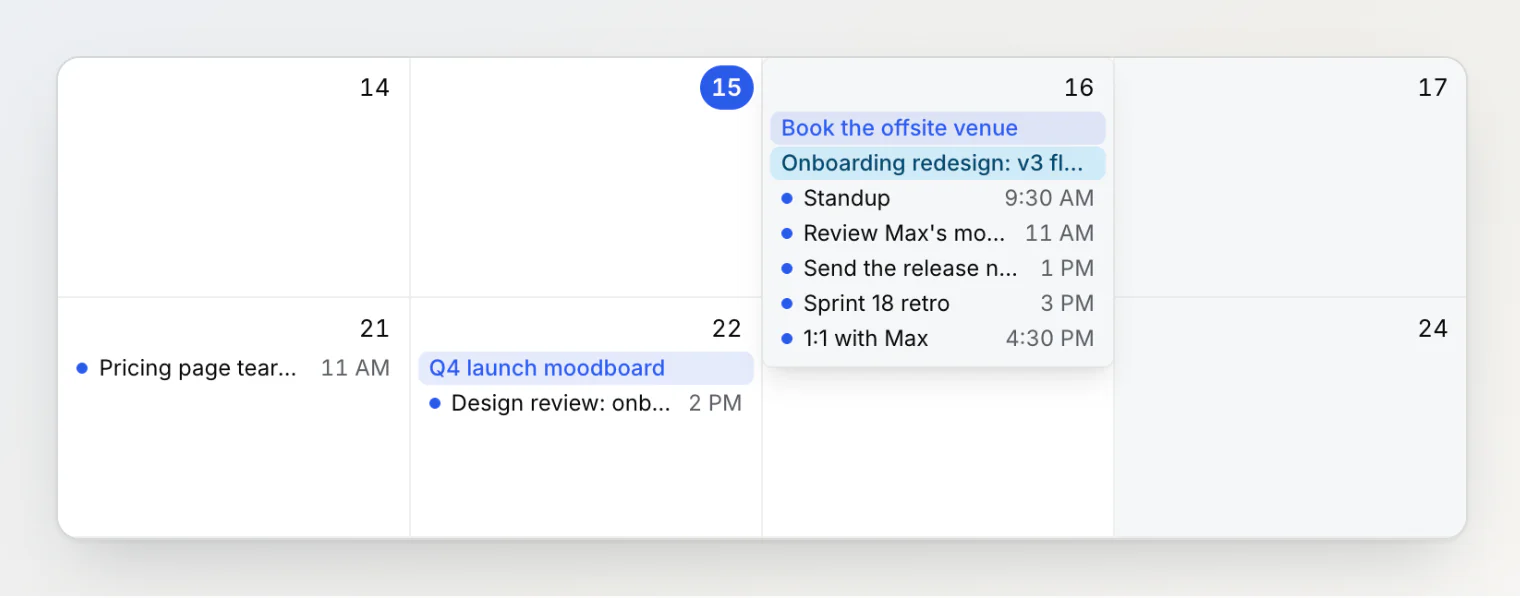
That Friday has seven items: two all-day bars and five reminders with times. Each item in the open day can still be dragged to another day, including a day the open box covers, and Esc closes it.
Small print
Remind me too appears only in shared workspaces. In your own workspace every reminder is yours.
A member who leaves the workspace, or whom the owner removes, stops being reminded. The reminder stays for the others.
A notification over a limit is skipped: it doesn't reach the bell or your inbox, and it isn't sent later.
AI chat and assistants connected over MCP add reminders that remind you. They can't add other people either.
Questions
Can I set a reminder for a teammate in Notez?
No. Each person chooses Remind me too on the reminder themselves. To get someone's attention right away, mention them with @.
Who gets notified when a shared reminder comes due? The person who added it and everyone who clicked Remind me too, unless they have clicked Stop reminding me since or left the workspace.
What happens if I paste the same reminder many times? The copies send one notification and show as one item on the calendar, as long as they have the same date, time and repeat.
Continue reading
Reminders that live in the note they are about — why a reminder in Notez is a date in a note rather than a separate to-do.
Every property, one click away — filter notes by Assignee, Status or another property from the sidebar in one click.
Beyond folders: how Notez organizes notes — why Notez has no folders, and what tags, sub-notes, boards and custom properties do instead.