Webhooks are the fourth way into a workspace, next to the app, the CLI, and MCP. Create one in Settings → Integrations → Webhooks and Notez gives you a secret URL; anything that can POST to it creates a note.
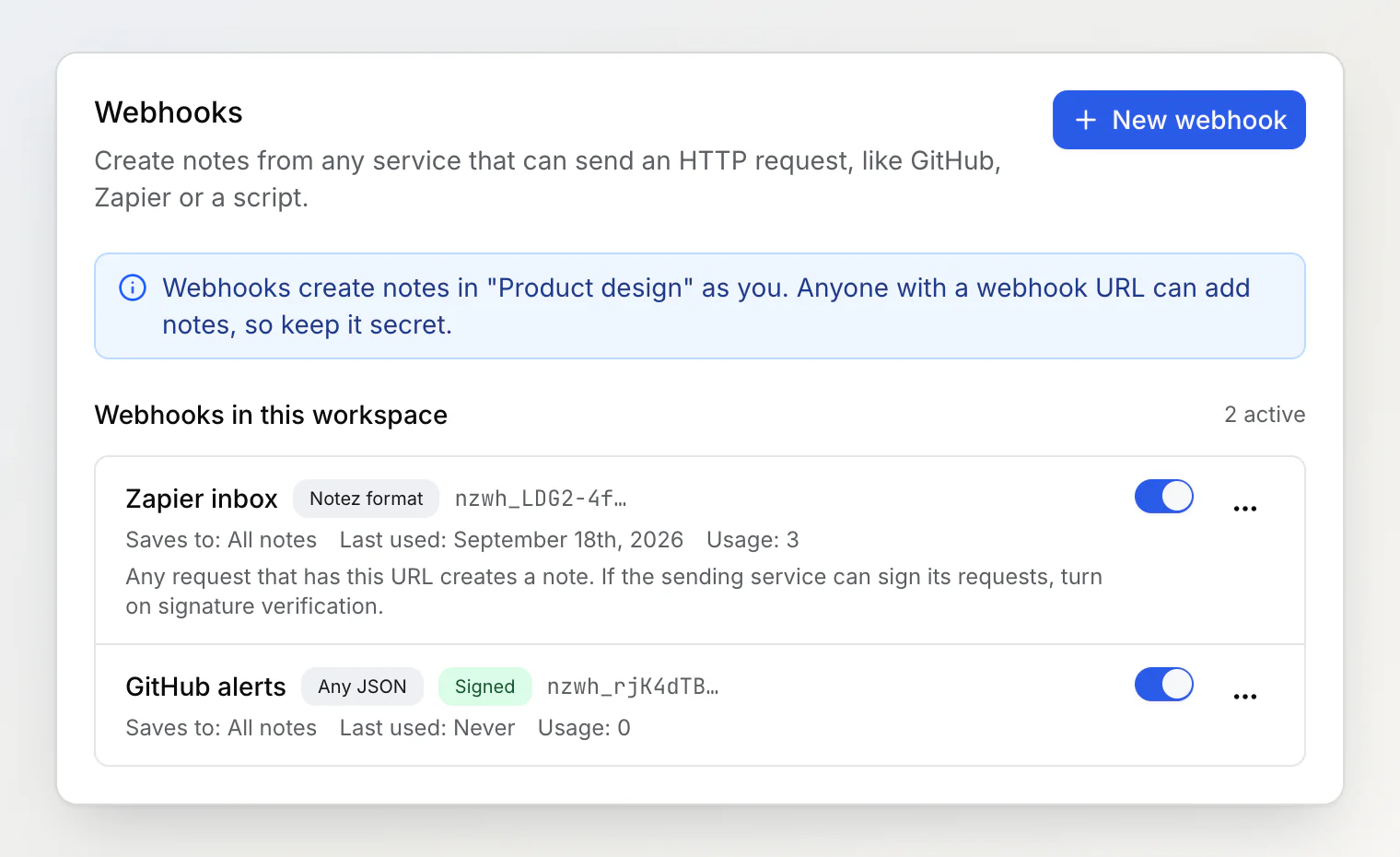
Two payload formats. The Notez format takes a title, Markdown content, tags, a link, and attachments. Any JSON mode saves whatever a service like GitHub or Stripe sends as a code block, so senders you cannot configure still work.
Its own destination. Each webhook has a note to file into, default tags, and a board column. Tags it does not know yet are created.
Attachments, up to ten per request: uploaded files, base64 in the JSON, or links that Notez downloads for you.
No duplicates. An
Idempotency-Keyheader or anexternalIdfield makes a retry return the note that already exists; GitHub's delivery id is used automatically.Optional signature checks. GitHub's
X-Hub-Signature-256, or an HMAC SHA-256 header of your own, so a leaked URL is not enough to write notes.Members can create their own. Owners see every webhook in the workspace and can disable or delete any of them.
Notes created this way carry a WH badge in the list.
MCP and CLI keys are now stored as hashes. An MCP key is shown once when you generate it, and only its first characters afterwards; existing keys stopped working with this release, so generate a new MCP key and run notez login again on machines that use the CLI.
Full documentation: Webhooks.